New Note
Start typing...
Remind me
note savedWrite it, pick a time
Type the note, then tap a time like In 3 Hours or Tomorrow Morning. That one tap saves it. I set it up this way so the note is done before the thought is gone.
Notes and reminders for iPhone, iPad and Mac
I live by Slack's reminders at work and wanted the same thing for the rest of my life. In graynotes, every note comes back at a time you pick, so you can write the thought down and stop carrying it around.
Remind me
note savedType the note, then tap a time like In 3 Hours or Tomorrow Morning. That one tap saves it. I set it up this way so the note is done before the thought is gone.
Hold to record
Thursday, 2:00 PM processing your note note savedHold the red mic and talk. If you mention a time, like “call the vet Thursday afternoon,” graynotes schedules the note for then. Siri can start a voice note too.
9:41

When a reminder goes off, press and hold it to push it back 30 minutes, to tonight, or to tomorrow. You don’t have to open the app.
The list
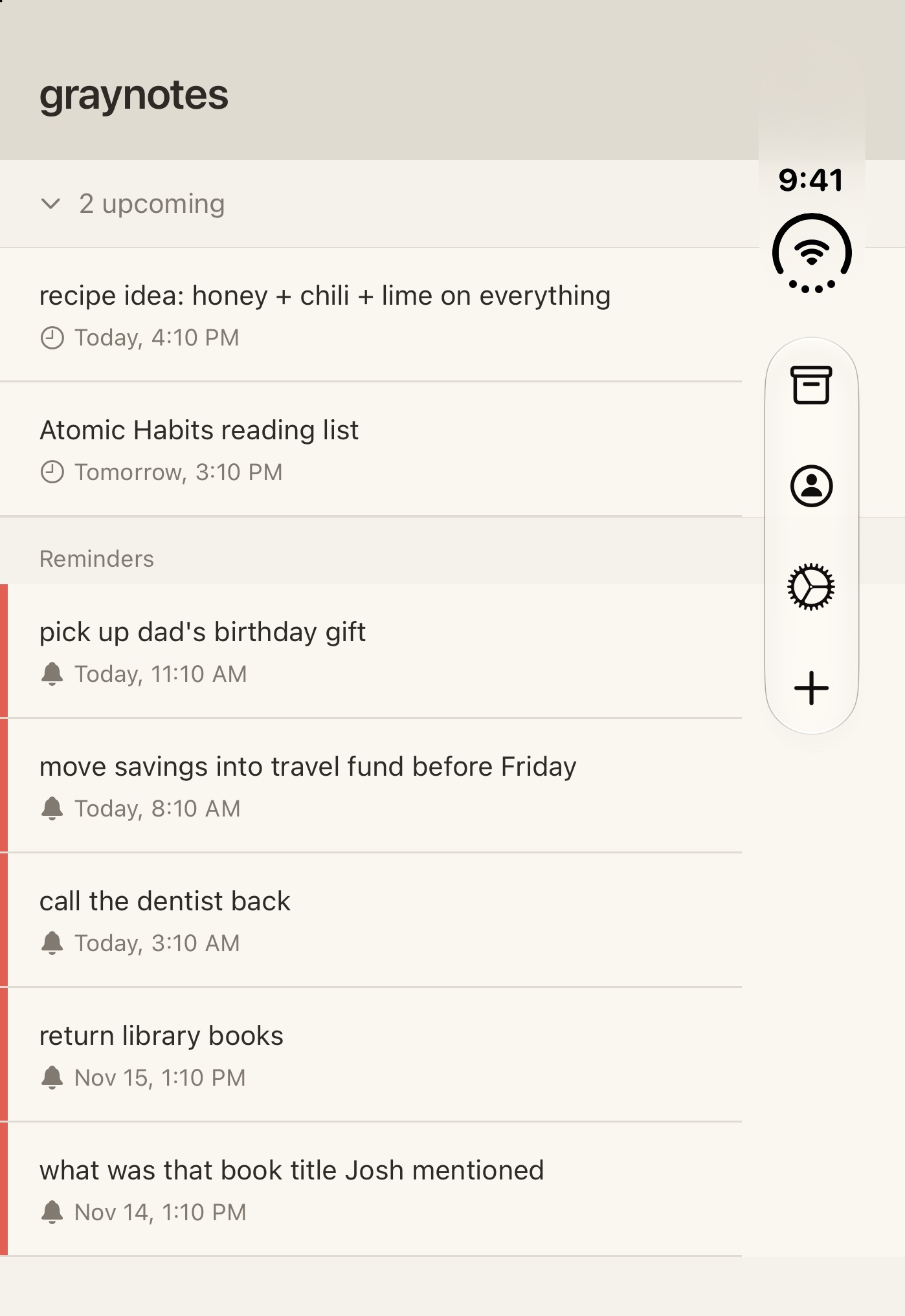
Reminders that have come due sit at the top of the list with a red line beside them until you archive or reschedule them. Everything that’s still ahead waits in a shelf above them, folded down to a count so it doesn’t crowd what needs doing now.
Reminders
Custom time
When none of the presets fit, Custom… opens a picker with big buttons for the day, the hour and the minute, so 4:15 tomorrow afternoon is a few taps with your thumb. In Settings you can also move Morning and Night to the hours your day actually runs on.
Date
Time
graynotes Pro
graynotes is free, and without an account your notes stay on this device. If you want them everywhere you write, graynotes Pro adds an account with Apple or Google sign-in and keeps your notes and reminders in step within seconds. It’s $4.99 a year, and you can cancel any time in your App Store settings.
graynotes
simple notes
Renews at $4.99 a year until you cancel.
Privacy
The free version of graynotes keeps your notes on your phone. An account only exists if you buy Pro to sync, and I'd rather not know what's in your notes either way.
Open it and start writing. There's no email to hand over unless you want sync.
Nobody pays to be in graynotes, and I don't sell anything about you to anyone.
Voice notes that mention a time go through my server to Claude to work out the date, and I don't keep the text. The privacy policy lists everything else.
On the big screen
The same list and the same one-tap times on iPad and Mac, with more room to read what you wrote.
iPhone Duo
Folded, graynotes fits in one hand. The list runs the full height of the outer screen, and New Note sits with the rest of the buttons in the bar along its edge.
Support
Something not working, or an idea for what's next? I read every message.
Send me a note
Tap +, type the note, and tap one of the times under Remind me. Tapping a time saves the note. For anything else, tap Custom…, pick a day, hour and minute, and tap the Save button at the bottom.
Press and hold the note and choose Archive. To push it back instead, choose Reschedule. Archived notes are under the archive button at the top of the list, and you can unarchive them from there.
When you let go of the mic, graynotes turns your speech into text. If that text mentions a time, it goes through my server to Claude, an AI model from Anthropic, which sends back the date. I don’t keep the text. If you don’t mention a time, you pick one yourself.
No account required. Without one, your notes and reminders live on your device, and deleting the app deletes them. With graynotes Pro, they’re also stored on my server so they can sync, and you can delete that account from the app at any time. The privacy policy has the details.
It’s $4.99 a year, and it adds an account and sync between your devices. The rest of the app is free. If you bought Pro back when it was a one-time purchase, or downloaded graynotes before Pro existed, sync stays free for you.
Yes. Open Settings, and under Reminders, set the hours for Morning and Night. The time buttons use them from then on.
graynotes is free on the App Store for iPhone, iPad and Mac.
Download on the App Store